


1. Overview |
|
|
 Back to Top
Once the user has opened the database and the desktop management has been run, the Desktop Manager application's code audits the user desktop and aggregates the retrieved data in one or more Notes documents located in the server’s Desktop Manager User database. If the task has been completed successfully on the user desktop, the audit result is displayed in one the User Audit Results views of the Desktop Manager database:
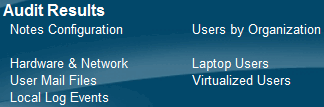
| Notes Configuration |
View displaying all audit results documents (User, Notes Install, Log...), sorted by Mail Server and Full Name. |
|
|
Hardware & Network |
View displaying User documents and focused on Hardware / Software information and Network usage. |
|
|
User Mail Files |
View displaying Notes Install documents and focused on user’s mail databases (server and local). |
|
| Local Log Events |
View displaying Log documents showing the results of the syntax analysis performed on the local Log database. |
|
| User by Organization |
View displaying User documents categorized by FullName's /OU=. |
|
| Laptop Users |
View displaying User documents of users having a Laptop computer |
|
| Virtualized Users |
View displaying User documents of users working on a virtual environment (CITRIX...). |
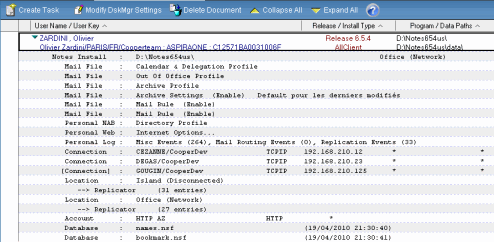
The user's desktop audit results are presented in several Notes documents :
- A main User document, including the user's identity, information on the installation of Desktop Manager, Hardware and Software information on the user desktop, Network usage.
- A Notes Install document including information on the Notes installation.
- Mail Database Profile documents (OutOfOffice, Calendar and Delegation, Archive Settings...).
- Mail Database Rule documents.
- Directory Profile (Names.nsf) and Internet Options (Perweb.nsf) documents.
- A document including lines extracted from the local Log database.
- A document for each Location, Connection or Account documents in the user's personal address book.
- For each Location document, one Replicator document.
- Database Audit documents from local databases full audit.
2. User document |
|
|
Audit Results: User Identity

The header of the main User document includes the information provided about the user's identity:
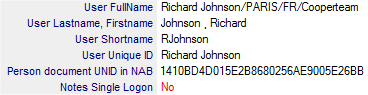 : First FullName value, Name, FirstName, ShortName and second user’s FullName value. We also get the UNID of the Person record in the NAB and the usage (or not) of the Single Logon for this Notes session.
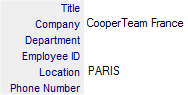 : Information retrieved from the address book's Person document indicating the location of the user (phone number).
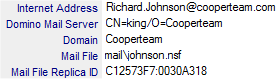 : Information retrieved from the address book’s Person document, about user messaging options. We also get the Replica ID of the database.
 : Path of the local replica of the Mail database (if it exists). We indicate if the local mail replica is managed by the Notes client (Managed Replica).
 : Path of the local replica of the Mail database (if it exists).
 : Information retrieved from the user Mail database's Archive Profile document about the location of the current Archive database (if any).
 : User SameTime server.
 : Indicate if the user has Notes Roaming enabled.
 : Name of the Explicit Policy defined in the NAB.
 : List of NAB groups the user is member of.
Audit Results: Hardware & Software

The second section is focused on the user’s desktop Hardware and Software information :
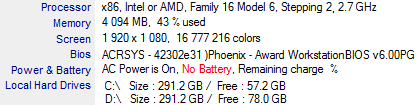 : Used processor, amount of installed RAM, screen resolution, bios information and hard drive size. Battery information to detect Laptop computer.
 : Free space on hard drive hosting the Notes data directory.
 : Windows User name.
 : Check if the user has Windows administration rights on its computer.
 : Check if the user is connected using a Virtual session (CITRIX...).
 : ClientName environment variable for Virtualized users.
 : Netbios name of the computer.
 : List of computer IP addresses.
 : Installed operating system and regional settings.
 : System & User Paths.
 : Windows run time.
 : Name of the Microsoft Office suite and product ID of the software installed on the user desktop.
 : Windows MSIExec release number.
 : List of installed programs with their version number and location. The Desktop Manager application only searches for programs whose name has been mentioned in the Setup document attached to this user.
 : Registry Key values whose names has been mentioned in the Setup document attached to this user.
Audit Results: Network Usage

This section is focused on replication traffic volume between the user desktop and the Domino servers.
 : Period of analysis.
 : Number of database having replicated during the period.
 : Volume of replication (sent + received) during the latest 3 months / latest 3 years.
 : Details per database (sent + received).
Audit Results: Database Access

This section is focused on number of daily access to local or server databases. Every time the user opens a database from its Notes client, we record the database name. We count here the number of days the database was used (if the database is opened 3 times / day, we just count 1).
 : Period of analysis.
 : Number of database accessed during the period.
 : Daily access statistics per database, for the last 3 years and the latest 3 months
Audit Results: Notes Client Configuration

 : Version of Notes and client type.
 : User interface used (Basic or Eclipse).
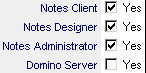 : Indicate if the Notes Client, the Designer Client or the Administrator Client are installed.
 : Program path and data path for the Notes client
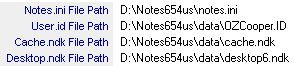 : Notes configuration files paths (Notes.ini, User ID, Cache.ndk, Desktop.ndk).
 : Command line used to start Notes client.
 : Run time for Notes client when Desktop Manager has run.
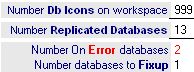 : Number of icons present on the workspace, number of replicated databases, number of databases with errors of any kind, number of databases requiring fixup.
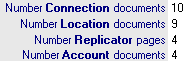 : Shows the number of documents or pages of the relevant type found in the local NAB.
 : SameTime client release number.

 : Windows Registry information about Notes clients installed on the computer.

 : The table shows a list of all the server names that are references by this Notes client, and where they are found :
- In the Notes.ini file
- In the Cluster.ncf file
- In the Replication History buffer of local databases
- In the Workspace databases icons
- In the Connection documents
- In the Location documents
- In the hidden $SavedServers fields of the Location documents (list of server names)
- In the hidden $LastFileNames fields of the Location documents (list of database names)
- In the Replicator Pages (stored in Location documents)
- In the Profile document of the Perweb.nsf database
- In the Archive Profile documents
This table makes it possible to immediately locate the name of an obsolete server. It is possible to build a categorized view using this list, which would highlight all the names of servers used in any configuration of all the Notes customers.
Audit Results: Segmentation

 : Name of the Segmentation Setup used during the Segmentation process.
 : Segment Name for this user.
 : Log of the latest segmentation process for this user.
Desktop Manager Settings: Options

 : Primary key of this user in the Desktop Manager database. The key (Unique Key) is composed of the user's FullName (1st value), the machine's hostname and the ReplicaID of the user's personal address book: as a user may work on different desktops, each one of these desktops is recognized by the unique identifier of the personal address book (mandatory database) and/or of the machine name.
This is a way to identify :
- People using several desktops (same key start).
- People sharing a common desktop (same key ending).
For the Virtualized Users (CITRIX...), the name of the computer in the Unique Key is replaced by the keyword names defined tin the Setup document, because on a Virtualized environment, the computer name may change for each session.
A Short Key is generated from the user FullName and from the ReplicaID of the desktop's local address book, without using any desktop information (Hostname). The short key will be used to identify multi-desktop users whose Notes client Data folder is located on a network drive shared by all the desktops they may use. As the Notes configuration is all setup in the Data folder, all these desktops should be viewed as a single Notes installation that will require a shared key for identification. With a long key (with machine Hostname), the Desktop Manager would include as many entries for a given user as the number of desktops used by this person.
The choice of using a short key or a long key is made in the Setup document (Do NOT care about Computer Name in Desktop Manager User key).
 : We use the Short Key for this user instead of the Unique Key.
 : Number of unique days where Desktop Manager has run on this computer (# Runs). We compute the usage rate (% Usage) of the Notes client (number of run / number of working days).

 : Name of the Profile document(s) attached to this user (if one or more Profile have been assigned).
 : Setup document name attached to this user.
 : Preferred language to run the user interface in full automatic mode.
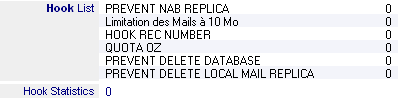 : A list of the hooks applied to the user as well as the statistics for the triggering of the Hooks on the user's workstation.
 : Check if the user has [ADMIN] or [HELPDESK] role in the ACL.
 : List of values for Keywords @User1, @User2 and @User3.
 : Specific folder paths for user backup and roaming
 : File Path & Server name for Desktop Manager database linked to the user. Change these values to re-direct the user to another Desktop Manager database.
 : Path of the Desktop Manager User reference database for the user if the multi-database system has been implemented.

Desktop Manager installation folders on the user desktop:
 : Installation folders of Desktop Manager external components. If one of those values is missing, it is necessary to check the reason why the installation has not been completed.
 : Path of the DskMgr.dll file used by Desktop Manager database during the latest audit.
 : Specifies if the component used to manage Desktop Manager Hooks is activated on the user desktop.

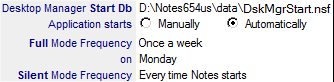 : Setup options to make the Desktop Manager database start automatically. You should define here the location of the Desktop Manager Starter database used as an entry point as well as the start frequency options in full or silent mode.
 : List of Notes shortcuts that are modified to run the database automatically when the Notes client starts up (for Notes release prior to 8.58.3).
 : Shortcut value in Windows XP startup menu for messaging application.
Desktop Manager Settings: *.ini Files Settings

 : List of Notes.ini variables used by Desktop Manager.

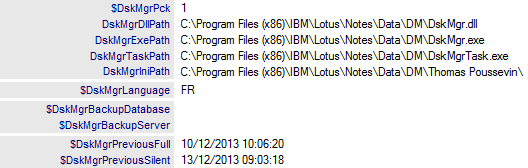 : List of DskMgrParam.ini variables used by Desktop Manager.
Desktop Manager Settings: Action Scripts

 : Path of the DskMgrPre.ini file including the script code that will be run during the Notes pre-session.
 : Contents of the DskMgrPre.ini file that will be run during the Notes pre-session.

 : Path of the DskMgrPost.ini file including the script code that will be run during the Notes post-session.
 : Contents of the DskMrPost.ini file that will be run during the Notes post-session.
Latest Access TimeDate

The last section provides administrators with information about the opening of the Desktop Manager database by the user.
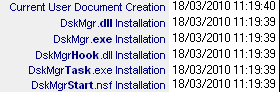 : Installation dates of Desktop Manager external components.
 : Date of the last reminder mail sent to this user.
 : Number of reminder mails sent.
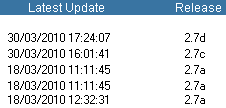 : Latest components update times and their release number.
 : Date and run time for the latest run of Desktop Manager Starter using Full Mode access. We compute the duration where the user has been blocked (User Interface Duration) and the process total duration (Process Duration).
 : Date and run time for the latest run of Desktop Manager Starter using Silent Mode access. We compute the duration where the user has been blocked (User Interface Duration) and the process total duration (Process Duration).

 : Period of the latest run of Desktop Manager. We compute the duration where the user has been blocked (User Interface Duration) and the process total duration (Process Duration).
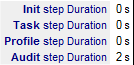 : Duration details of Desktop Manager execution in the 4 major steps : Init, Task, Profile and Audit.
 : Duration list and detail of the Task application phase during the last Desktop Manager execution.
 : Duration list and detail of the Profiles application phase during the last Desktop Manager execution.
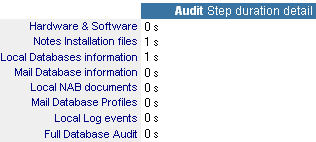 : Duration detail for the Audit step.
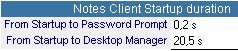 : Notes client startup run times BEFORE the run of Desktop Manager.
 : History of the latest 15 runs of Desktop Manager (with duration).
 : Log files of all the operations performed on the User's PC during latest Desktop Manager execution (see Setup document for details).

 : This section may be customized in order to receive any kind of fields.
Errors & Logs: Errors & Misc Events

 : Errors found during the Desktop Manager execution on the user desktop.

 : This field gets information messages from Desktop Manager events during its execution.
Errors & Logs: Task Events

 : List of Tasks that have been applied to the user (latest execution date, UNID and Task name).

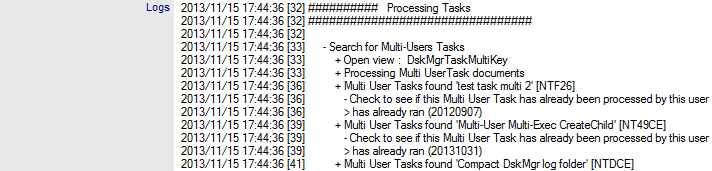 : Tasks Log of the latest execution of Desktop Manager.
Errors & Logs: Profile Events

 : List of Profiles that have been applied to the user (latest execution date and Profile name).

 : Profiles Log of the latest execution of Desktop Manager.
Errors & Logs: Background Agent Logs

 : Background Agents Log of the latest execution of Desktop Manager.
3. Notes Install document |
|
|
The application creates a Notes Install document listing all the features of the Notes installation used to open the Desktop Manager database.
Install Paths

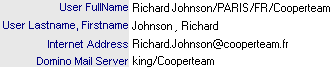 : User's Notes identity card (FullName, Last Name, First Name, Internet Address and name of the Mail server hosting the user's mailbox).
 : SameTime server name.

Folders and files composing the Notes installation used to open the Desktop Manager database. If there are several Notes installations on the machine, only the one where Desktop Manager is installed will be mentioned.
 : Version and installation Type.
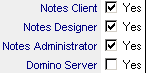 : Indicate if the Notes client, the Designer Client or the Administrator Client have been installed.
 : Program and Data installation folders.
 : Shared Data folder path, for multi-user installation.
 : Notes configuration files path.
 : Usage of Single Logon.
 : Used ID files.
 : Current Location document name.
Notes Files: Notes.ini

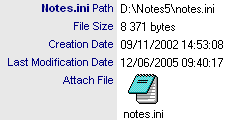 : Notes.ini file used by the installation. If the Notes.ini file retrieval has been required in the Setup document, it is attached to the Notes Install document.
 : Other Notes.ini files on the machine. These files may be searched in the following folders:
- Notes Program
- Data Notes
- Windows system
 : If the Notes.ini file contains the following lines EXTMGR_ADDINS or NSF_HOOKS or AddInMenus, the line content are displayed.
 : Value for NAMES line from Notes.ini file.
 : Value for CacheMail line from Notes.ini file (used for Managed Replica settings).
Notes Files: User ID

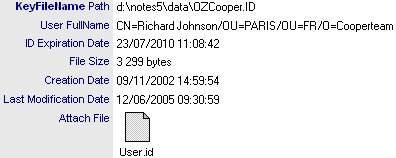 : Current ID file. If the user ID file has been required in the Setup document, it is attached to the Notes Install document.
Notes Files: Cache

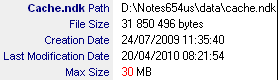 : File used for the cache of Design elements. Cache saturation may be detected by comparing the maximum size allowed for the Cache and its current size. In such a case, its size should be enlarged (see Tasks).
Notes Files: Desktop

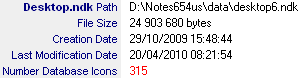 : File used for workspace setup.
 : Date List of available Workspace backup files. These files can be used to restore the Workspace through a Task.
Notes Files: Cluster

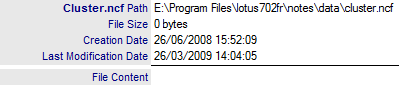 : File used to define the servers members clusters used.
Notes Files: MUI

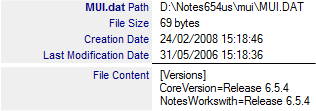 : File used to define the Notes Client Interface language (Multi User Interface).
 : List of folders where the MUI files are located.
Notes Files: Dir

 : List of directory link redirection files (.dir) present in the Notes client Data folder. We mention here the .dir file path, the folder included in the .dir file as well as the relative path of this folder in the Notes environment. We also calculate the number of sub-folders present in the Notes client Data folder, including those that were brought in via .dir files.
Notes Files: Dictionary

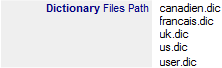 : List of dictionary files used.
 : Information about the user personal dictionary.
 : If the user personal dictionary retrieval has been required in the Setup document, it is attached here.
Notes Files: NSD

 : Folder where NSD files are created.
 : Number of NSD files available in the folder (=number of crash of the Notes client)
 : Number of NSF files created this month (=number of crash of the Notes client occurred this month).
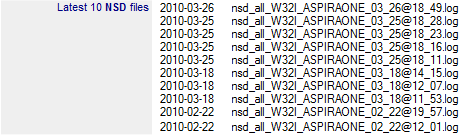 : Latest 10 NSD files created (=dates of the latest 10 crashs of the Notes client).
 : Date of the latest NSD file (=date of the latest crash of the Notes client).
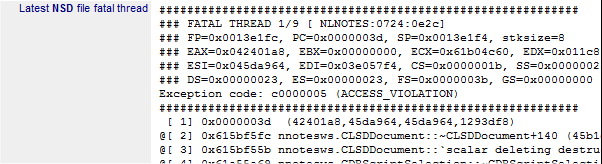 : Detail of the thread having crashed the Notes client (Fatal Thread).
Notes Files: Backup Folder

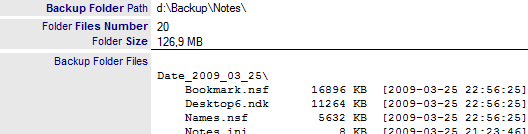 : Details on the user's backup folder, with folder location, number of included files, file size and list.
Notes Files: Roaming Folder

 : Details on the user's roaming folder, with folder location, number of included files, file size and list.
Local NAB

 : Number of Connection documents present in the user's Address book.
 : Number of Location documents and of associated Replicator pages present in the user's Address book.
 : Number of Account documents present in the user's Address book.
 : Number of Program documents present in the user's Address book.
 : Number of Contact documents present in the user's Address book.
 : Number of Recent Contact documents present in the user's Address book.

List of Connection documents present in the user's address book, with the list of activated ports, HostName or IP address, associated Location documents and name of the user allowed to use it:


List of Connection documents present in the user's address book, with Connection type, mailbox location, mailbox path, messaging server name, replication activation and list of users to whom this Location document applies:


List of Account documents present in the user's address book, with the stated protocol and the list of Location documents for which they apply:


List of Program documents present in the user's address book, with name and path of the run program, command line, scheduling time and run frequency:

Bookmark

 : List of entries displayed on the Notes client left navigator.

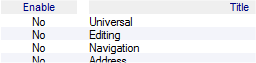 : List of user's Toolbars.

 : Notes client Status Bar settings.
Policies
 : List of Policy Master documents applied to the user.
 : List Policy Settings (Desktop, Mail Archiving, Security...) documents applied to the user.
User Preferences

List of User Preferences for the Notes client.
Sametime

List of SameTime Preferences for the Notes client.
ECL

 : Indicate if the ECL is Read Only for this user.
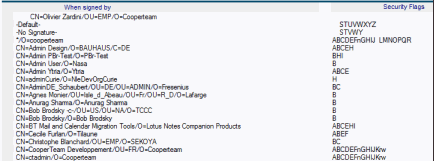 : ECL (Execution Control List) of the Notes client.
Cross Certificates
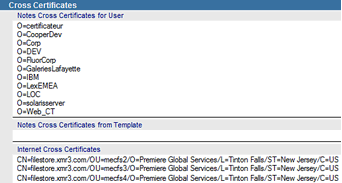 : List of Cross Certificates documents available in the local NAB.
Workspace: Properties

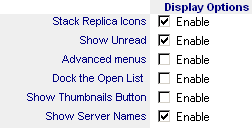 : Workspace Display Options.
 : Number of icons available on the workspace.
 : List of the Workspace Pages (names and color codes).
Workspace: Database Icons

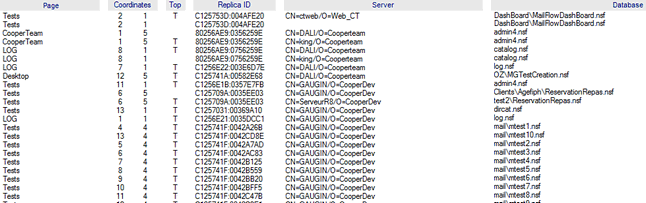 : List of databases present on the workspace with icon coordinates (tab name, X Y coordinates), the availability of the icon on the Top of the icon stack (T=Top of the Stack), ReplicaID, name of hosting server (if the database is on a server) and file name (.nsf)
Workspace: Servers Statistics

 : Statistics about servers hosting the databases present on the workspace.
Workspace: Missing Databases

 : List of databases present on the workspace but that have been deleted from the desktop (with icon coordinates).
Local Databases: Statistics

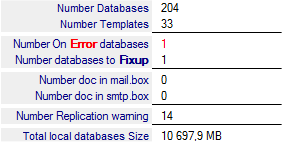 : Number of databases in the Data folder, Number of Templates in the Data folder, Number of database impossible to open, Number of databases requiring a Fixup (see Setup), Number of documents available in Mail.box and Smtp.box databases, Number of local replica database having NOT replicated for a while and Total size of databases on local hard drives.

 : List of local databases of the Notes client configuration (Names, Bookmark, Log...)
 : List of local databases impossible to open (can be linked to the Setup option around Fixup).
Local Databases: Replicated Databases

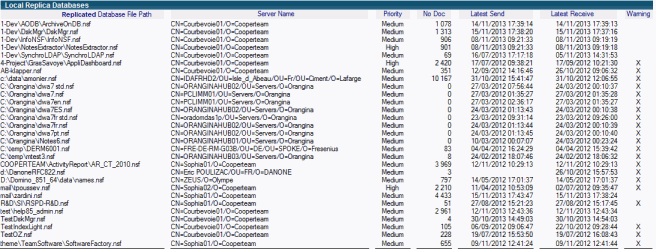 : List of local database replicas. If they haven't replicated for a while, a warning is raised (last column).
Local Databases: Database Files

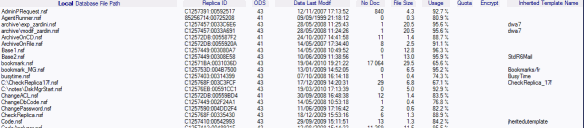 : List of local databases with file name, ReplicaID, used ODS, latest data modification date, number of documents, size, usage percentage, quota size, database encryption level (Weak, Medium, Strong) and name of the template associated with the database (if any).
Local Databases: Template Files

 : List of local Templates, with file name, ReplicaID, used ODS, latest modification date, number of documents, template size and name.
User Mail File: Server Mail File

 : Location of the user's mailbox..
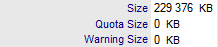 : Database size, quota size applied to the database and size from which the user is alerted.
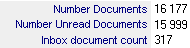 : Number of documents in the Mail database. Number of unread documents in the Mail database. Number of documents present in the Mail database's Inbox view
 : Database title and ReplicaID.
 : Name of Template associated to the database and file ODS
 : Name of Template and names of categories used to sort database in the catalog.
 : Number of personal agents created in the Mail database.

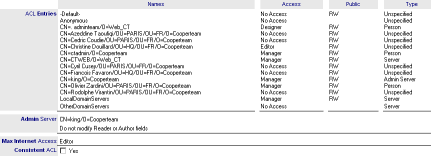 : List of ACL entries and administration settings.
 : Indicate if people have delegation on this Mail file.
 : Check box used to mention an error detected in ACL entries. Searched errors are the following :
- -Default- entry that is not NoAccess.
- Anonymous entry that is not NoAccess.
- Anonymous that should exist in the ACL.
- OtherDomainServers entry that is not NoAccess.
- LocalDomainServers entry that is not Manager.
- LocalDomainServers entry that should exist in the ACL.
- Database owner entry that should be at least Author.
- Database owner entry that should exist in the ACL.
- At least one ACL entry should be Manager.
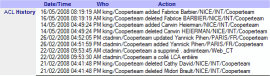 : ACL modification history.

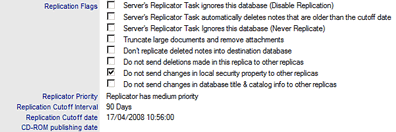 : Replication options of the server's Mail database.
 : Replication history of the server's Mail database.
 : Replication formula applied to the server's Mail database.

 : List of Mail Rules available in the Mail database.
User Mail File: Local Mail Replica

 : Path of the mail database local replica (if any).
 : If several local databases have the same ReplicaID as the server Mail database, their number is shown in red.
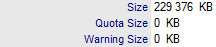 : Size of the local replica database. Database quota
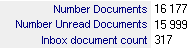 : Number of documents of the local replica. Number of unread documents of the local replica. Number of documents available in the Inbox folder.
 : Space usage of the local mail replica.
 : Difference of document number between the replica database and the one on the server.
 : Raises an alert if there is not enough space left on the hard drive to compact the local mail database.
 : Number of Design Elements having the flag 'Prohibit Design Refresh' checked.
 : Database title and ReplicaID.
 : Name of Template associated to the database and file ODS
 : Name of Template and names of categories used to sort database in the catalog.
 : Number of personal agents created in the Mail database.
 : Indicate if the local mail replica is encrypted.
 : The latest replication (Send & Receive) times.
 : Indicate if the local mail replica is managed by the Notes client (Managed Replica).

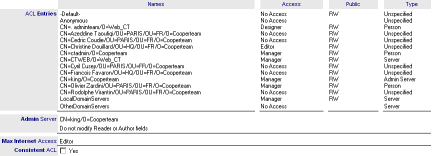 : List of ACL entries and administration settings.
 : Indicate if people have delegation on this Mail file.
 : Check box used to mention an error detected in ACL entries. Searched errors are the following :
- -Default- entry that is not NoAccess.
- Anonymous entry that is not NoAccess.
- Anonymous that should exist in the ACL.
- OtherDomainServers entry that is not NoAccess.
- LocalDomainServers entry that is not Manager.
- LocalDomainServers entry that should exist in the ACL.
- Database owner entry that should be at least Author.
- Database owner entry that should exist in the ACL.
- At least one ACL entry should be Manager.
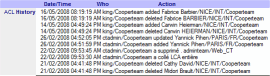 : ACL modification history.

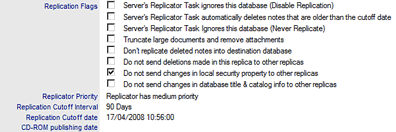 : Replication options of the local Mail database.
 : Replication history of the local Mail database.
 : Replication formula applied to the local Mail database.

 : List of Mail Rules available in the local Mail database.
User Mail File: Local Mail Archives

 : Path of the local Archive database (if it exists).
 : Database Title.
 : Replica Id of the database
 : Number of Design Elements duplicated in the database (sometimes, the archive process duplicate design elements like views or folders).
 : Database Size.
 : Number of documents in the database.
 : Database template name.
 : Name of categories for the replica database in the Catalog.
4. Mail Database documents |
|
|
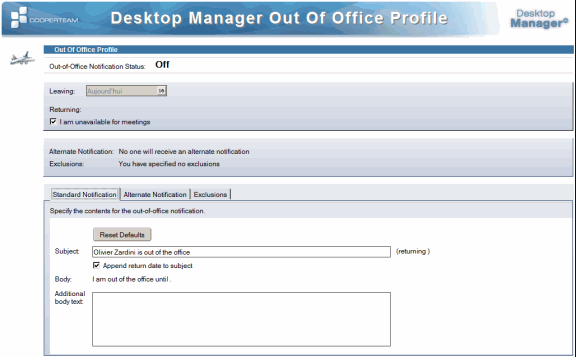
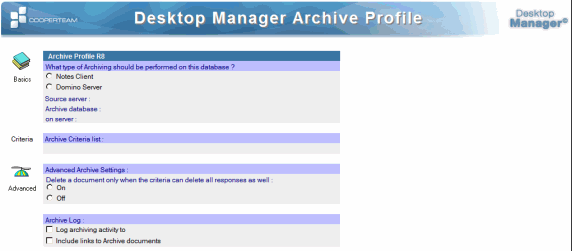
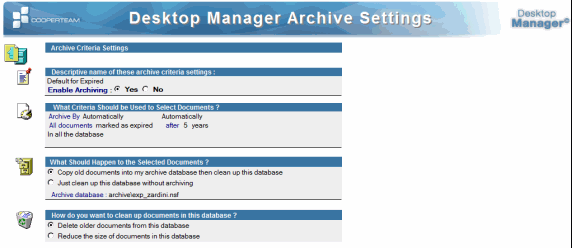
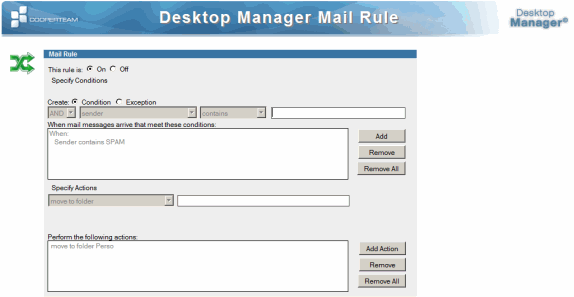
If the retrieval of Profile (Calendar, Our Of Office, Archive Mail) and Rules documents of the server Mail database was specified in the Setup document, these documents are transferred from the Mail database to the Desktop Manager database. Since Profile documents are not shown in views, they are converted as classic Notes documents. According to the Notes version, all these documents are not necessarily present in the user's mail database.
- Calendar & Delegation Profile :
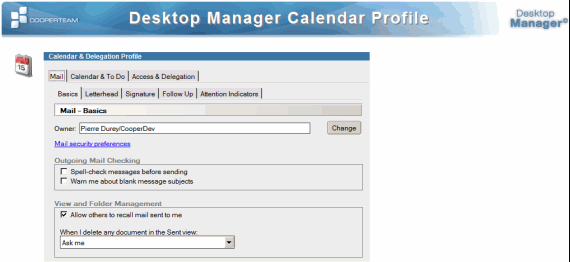
- Out of Office Profile :
- Archive Mail Profile :
- Archive Mail Settings :
- Mail Rule document :
5. Directory Profile & Perweb documents |
|
|
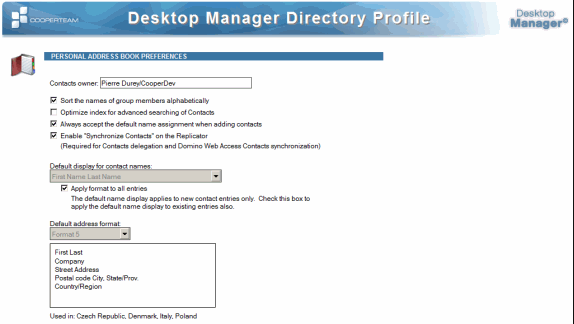
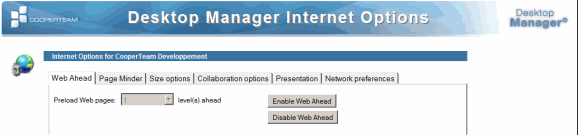
During the desktop audit, the Desktop Manager application retrieves the setup documents of local system databases (names.nsf and perweb.nsf) and copies them into the Desktop Manager database. As these are Profile documents (not shown in views), they are converted as classic Notes documents.
- Directory Profile, from Names.nsf :
- Internet Profile, from Perweb.nsf :
6. Log document |
|
|
If the parsing of the local Log.nsf database was required in the Setup document, a Log document is created under the user documents tree structure in the Desktop Manager database. It includes the search results of keywords defined in the Setup document:

 : User information.
 : Latest Log analysis date. In order not to overload the result document, the Log file analysis starts from where the last analysis ended. Date of the last analysis of the Log.
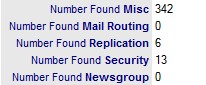 : Number of keyword occurrences found in the various Log sections explored (Miscellaneous Events, Mail Routing Events, Replication Events, Security Events and Newsgroup).

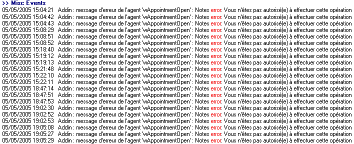 : List of Log lines featuring keywords (highlighted in color).
From the Audit Results / Local Log Events view, it is possible to purge the event Log documents using the action button  . The start date used to search for error messages in the Log.nsf database will be initialized to the current date.
7. Location, Connection & Account documents |
|
|
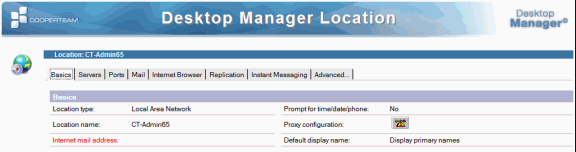
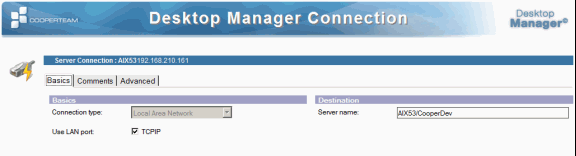
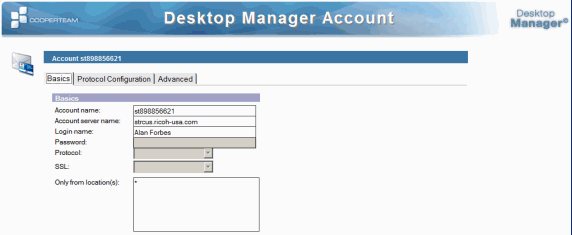
A copy of each Location, Connection and Account document present in the personal address book is stored in the Desktop Manager database. These documents are displayed as they are in the original database, with the same forms, whatever the Notes version used by the client is (R4, R5, R6, R7, R8 or R9).
Example of Location document:
Example of Connection document:
Example of Account document:
8. Replicator documents |
|
|
For each Location document, a Replicator document is created to display the Replicator tab as it can be seen through the Notes client:
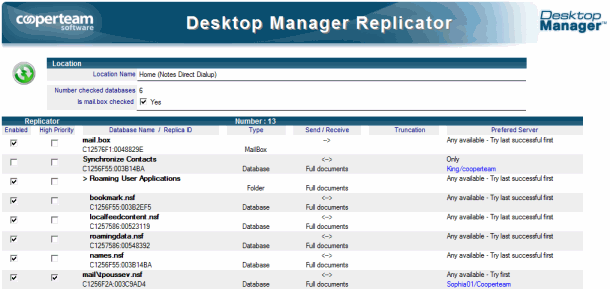
The view can be more detailed than through the replicator page if you include for instance the ReplicaID (if it is a database) and the file name (or the server name).
9. Database Audit documents |
|
|
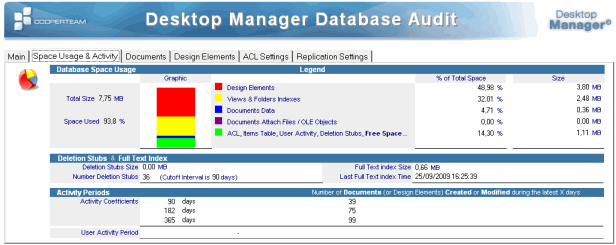
For each local database requiring a full audit (see Setup document), a Database Audit document is created to display the audit results:
Comments
0 comments
Article is closed for comments.