
IBM Lotus Quickr databases is usually a set of databases seen as Places.
You may use the out of the box Quickr Places or some can be highly customized.
Cooperteam Notes Extractor can extract your IBM Lotus Quickr data and create a Web browsable results for each Place.
Here under is the How-To extract Quickr databases using Notes Extractor:
1 - Create and customize a Setup document in the Notes Extractor database.
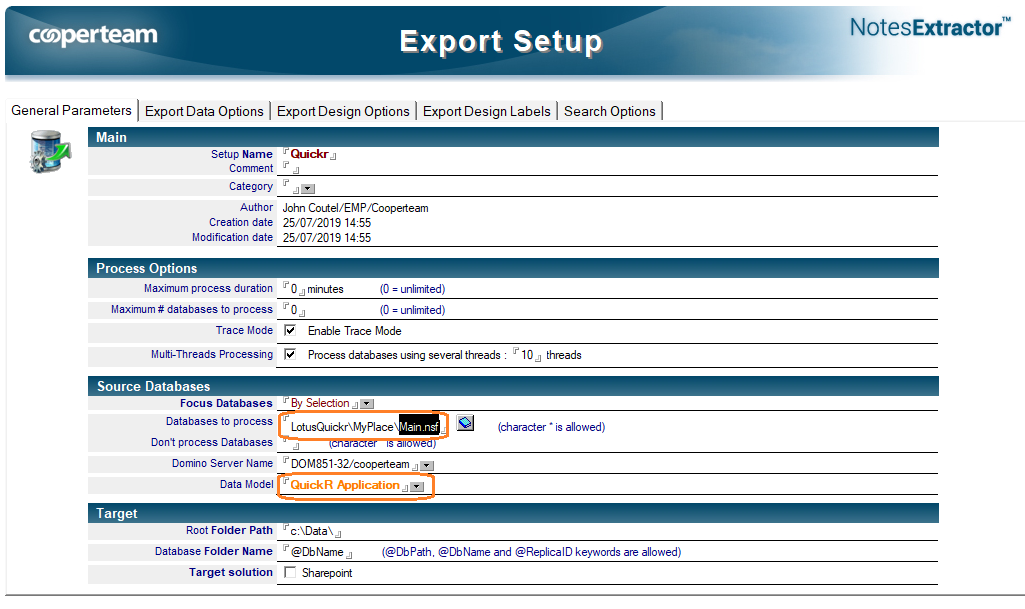
1.1 On the first tab 'General Parameters', you must specify 2 important information:
- Databases to process: You have to enter the path to the Main.nsf database
- Data Model: Select 'QuickR Application'
See below example:
1.2 On the second tab 'Export Data Options', please,
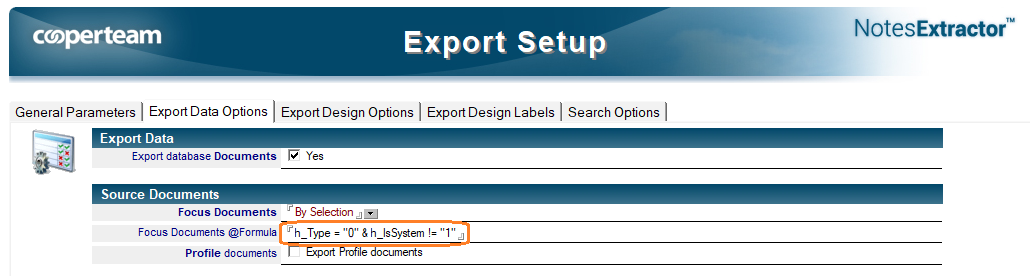
- Modify the Focus Documents from 'All documents' to 'By Selection'
- Specify the following formula in the Focus documents @Formula field:
h_Type="0" & h_IsSystem!="1"
See below example:
2 - Run the Extraction process
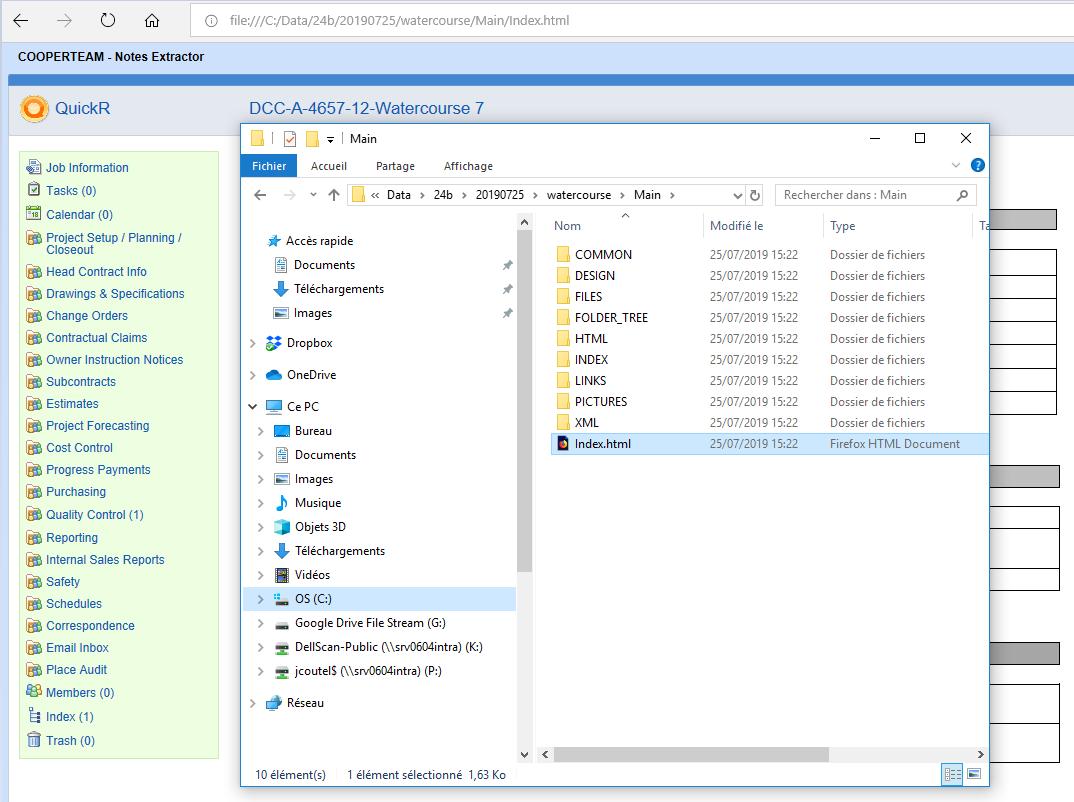
After running the Notes Extractor process, you will find in the target destination folder, one sub-folder per database. To open the Web result, please, from the folder Main open the index.html
See below example:
Comments
0 comments
Article is closed for comments.